
WordPress Multisite Automation: Centralized Management for Agency Workflows
Learn WordPress multisite automation with WP-CLI. Automate site provisioning, network-wide plugin deployment, and user management for agency workflows.
Managing dozens of client WordPress sites from separate dashboards wastes hours every week. Logging into each installation to run updates, add users, or configure settings does not scale. WordPress Multisite solves this by letting you run multiple sites from a single installation with one dashboard, shared user accounts, and centralized updates.
Combined with WP-CLI, Multisite becomes a powerful automation platform. You can provision new client sites in seconds, deploy plugins network-wide, and run batch operations across every site with a single command. This guide covers the practical patterns agencies need to automate WordPress multisite management using native tools.
Multisite Architecture for Agencies
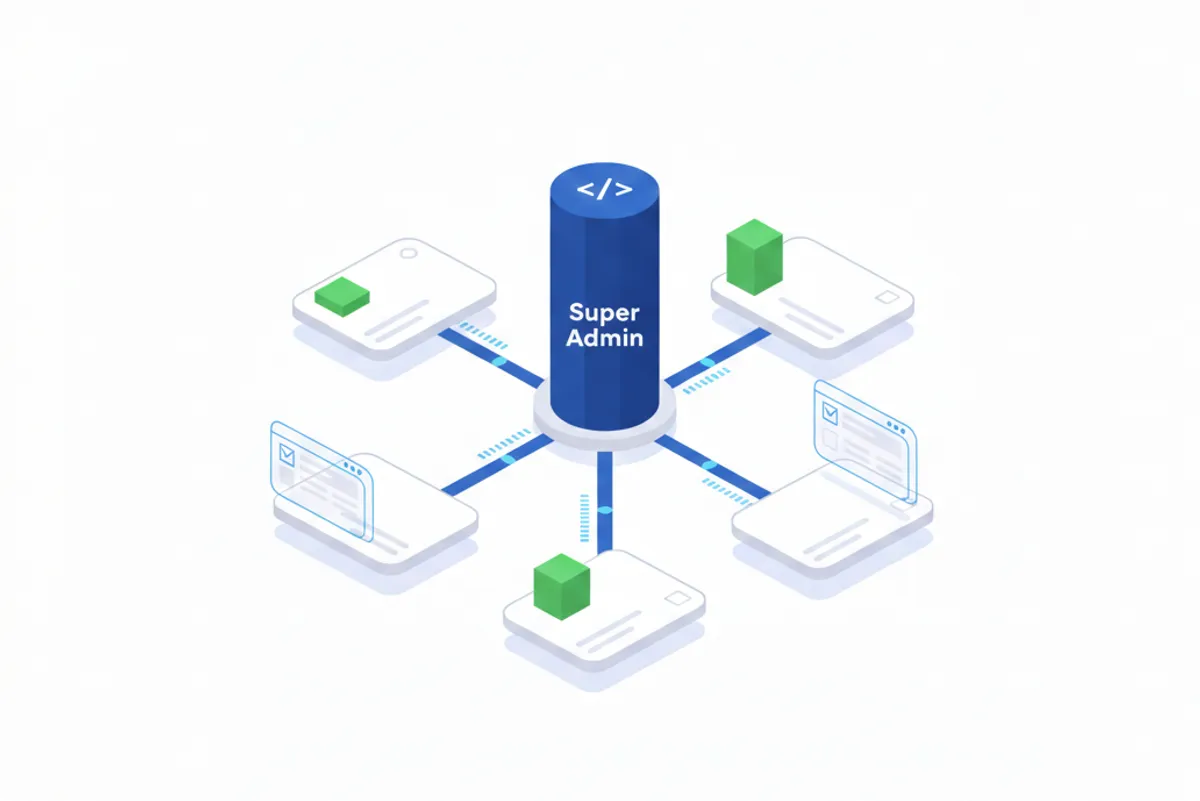
WordPress Multisite transforms a single WordPress installation into a network of sites sharing the same codebase, database, and user tables. Each site gets its own content (posts, pages, media) while sharing plugins, themes, and the core installation.
The network administrator, called a Super Admin, can manage all sites from a central Network Admin dashboard. Individual site administrators only see their own site, which keeps client access properly isolated.
Multisite makes sense when you manage ten or more sites with similar requirements. Agencies running thirty client sites with common plugins like contact forms, SEO tools, and caching layers benefit most. Sites needing completely different plugin stacks or those with wildly different performance requirements may work better as separate installations.
The key architectural decision is subdirectory (example.com/client) versus subdomain (client.example.com) structure. Subdirectories are simpler to configure, while subdomains offer better brand separation for clients who want their own domain mapped later.
Automated Site Provisioning with WP-CLI
Creating client sites manually through the Network Admin interface takes time and introduces inconsistency. WP-CLI’s wp site create command turns site provisioning into a repeatable, scriptable operation.
The basic command creates a new subsite:
wp site create --slug="clientname" --title="Client Name" --email="[email protected]"For agencies, wrapping this in a provisioning script ensures every new site gets the same baseline configuration:
#!/bin/bash
# provision-site.sh - Automated client site provisioning
CLIENT_SLUG="$1"
CLIENT_NAME="$2"
ADMIN_EMAIL="$3"

# Create the subsite
wp site create --slug="$CLIENT_SLUG" --title="$CLIENT_NAME" --email="$ADMIN_EMAIL"

# Build the site URL for subsequent commands
SITE_URL="example.com/$CLIENT_SLUG"

# Activate the standard plugin stack on the new site
wp plugin activate gravityforms advanced-custom-fields --url="$SITE_URL"

# Set default options
wp option update default_ping_status closed --url="$SITE_URL"
wp option update default_pingback_flag 0 --url="$SITE_URL"

echo "Site $CLIENT_NAME provisioned at $SITE_URL"
For automated setup when sites are created through any method (including the admin UI), use the wp_initialize_site hook. This hook fires after WordPress creates a new site, making it ideal for setting default options:
add_action('wp_initialize_site', function($site) {
    switch_to_blog($site->blog_id);

    // Disable pingbacks and comments on new posts
    update_option('default_ping_status', 'closed');
    update_option('default_comment_status', 'closed');

    // Set timezone and date format
    update_option('timezone_string', 'America/New_York');

    restore_current_blog();
}, 900);
The priority of 900 ensures this runs after WordPress completes its own initialization. Always pair switch_to_blog() with restore_current_blog() to return context to the original site.
Network-Wide Operations
Deploying updates and configuration changes across all sites is where WP-CLI automation delivers the biggest time savings.
Plugin and Theme Deployment
Activate plugins across the entire network with the --network flag:
wp plugin activate wordfence --network
wp theme enable flavor-theme --network
Network activation makes the plugin active on every site immediately. For themes, --network makes the theme available for site admins to select, but does not force-activate it everywhere.
Batch Operations Across Sites
When you need to run operations on each site individually (like updating all plugins while respecting per-site configuration), loop through sites:
for site in $(wp site list --field=url); do
    wp plugin update --all --url="$site"
    wp core update-db --url="$site"
done
This pattern also works for search-replace operations during domain migrations:
wp search-replace "staging.example.com" "example.com" --network --skip-columns=guidThe --network flag runs the replacement across all sites in a single operation, which is faster than looping for large databases.
User Management Patterns
Multisite maintains a single user table shared across all sites. Users exist at the network level, then get assigned to specific sites with defined roles.
Create a user and add them to specific sites:
# Create the user at network level
wp user create jsmith [email protected] --role=subscriber

# Add the user to a specific site with a different role
wp user set-role jsmith editor --url="example.com/clientsite"
Programmatically, use add_user_to_blog() to assign users to sites:
// Add user ID 5 to blog ID 3 as an editor
add_user_to_blog(3, 5, 'editor');
Super Admins have full access to every site and the Network Admin. Keep this role limited to your core team. Site-level administrators cannot modify network settings or access other sites, providing natural client isolation.
Production Considerations
Running multisite at scale requires attention to a few technical details.
Database backups must capture all tables including the network tables (wp_blogs, wp_site, wp_sitemeta). Test restores on a staging environment before relying on your backup strategy.
The get_sites() function defaults to returning only 100 sites. If your network grows beyond this, pass 'number' => 0 to retrieve all sites:
$sites = get_sites(['number' => 0]);The switch_to_blog() function only switches the database context, not the active theme or loaded plugins. If you need theme functions, you may need to load them manually. Always call restore_current_blog() when finished to avoid unexpected behavior in subsequent code.
Start Automating Your Agency Workflow
WordPress Multisite with WP-CLI provides agencies a native, no-cost solution for managing multiple client sites. Automated provisioning ensures consistency, network-wide operations save hours on updates, and centralized user management simplifies access control.
Start by converting your most common setup tasks into bash scripts. As your library of automation scripts grows, you will spend less time on repetitive administration and more time on work that actually matters to clients.