
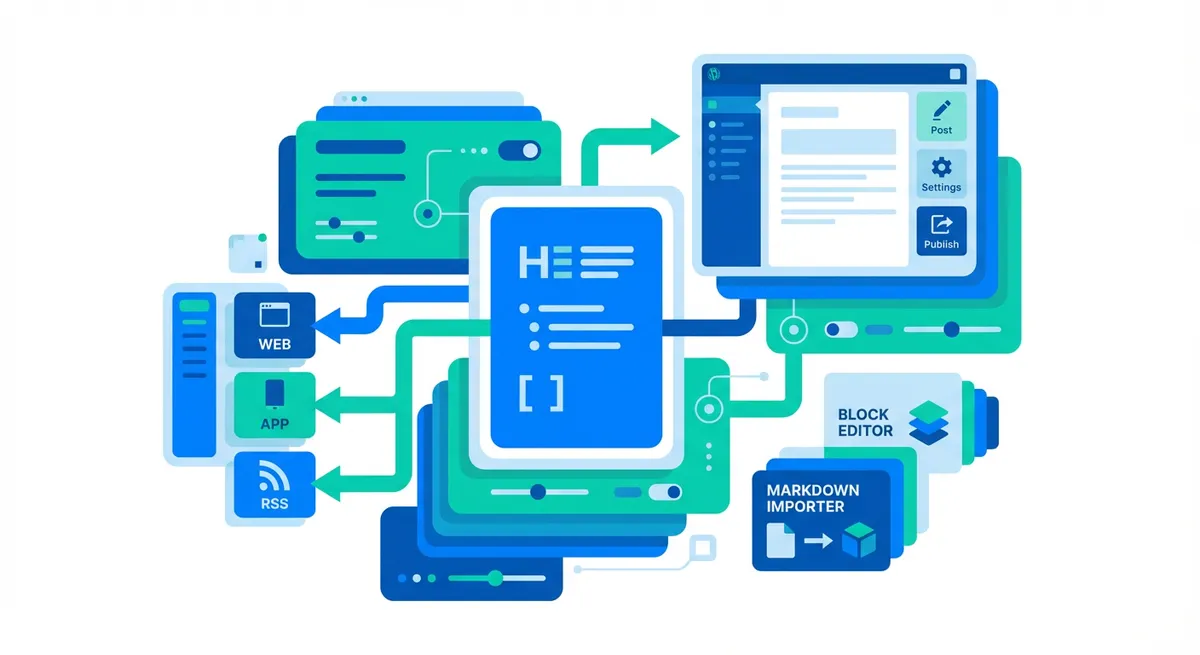
WordPress Markdown Content Portability: Why Modern Marketing Teams Should Care
AI tools like ChatGPT and Claude output Markdown by default. Learn why WordPress teams should prioritize content portability for long-term flexibility.
Every major AI content tool you’re using right now—ChatGPT, Claude, Gemini—outputs content in Markdown format by default. That’s not an accident. Markdown has emerged as the universal language between AI systems and content platforms. For WordPress teams generating AI-assisted content, this shift creates a strategic question: How portable is your content infrastructure?
This isn’t another plugin tutorial. This is about understanding why WordPress Markdown content portability matters for your long-term content strategy, especially as AI tools reshape how marketing teams create and manage content at scale.
The AI Content Generation Shift Changes Everything
The numbers tell the story. ChatGPT alone generates over 2 million daily searches, while Claude Opus 4.5 and Gemini 2.5 have become mainstream tools for content teams in 2025. Marketing strategists, agencies, and content managers now routinely use AI to draft blog posts, email campaigns, and social media content.
Here’s what matters: All three platforms output Markdown by default. When your content strategist generates an article outline in ChatGPT or drafts product descriptions in Claude, they’re working in Markdown whether they realize it or not.
This creates friction for WordPress teams. You’re generating content in one format (Markdown), then pasting it into a platform (WordPress) that doesn’t fully support it natively. The workaround—manual formatting or plugin dependencies—introduces unnecessary conversion steps into your workflow.
The deeper issue isn’t just convenience. It’s about what happens to your content long-term. If your content workflow starts in Markdown but ends up locked into proprietary HTML structures, you’re creating portability challenges that compound over time.
Why Content Portability Matters for Your Platform Strategy
Think of content portability as platform insurance. Most marketing teams don’t plan to migrate away from WordPress tomorrow. However, content infrastructure decisions you make today determine your flexibility five years from now.
Platform lock-in risks are real. When your content exists only as WordPress-specific HTML blocks, extracting it cleanly for other platforms becomes technically challenging. Agencies know this pain point well—when clients want to migrate to different systems or need content repurposed for headless CMS architectures, content that wasn’t designed for portability requires extensive reformatting.
Multi-platform publishing needs are growing. Modern marketing teams rarely publish to just one platform. Your blog content feeds newsletters, gets repurposed for LinkedIn articles, powers documentation sites, and supports static site generators for performance-critical landing pages. Each conversion from WordPress introduces potential formatting loss and manual cleanup work.
Some organizations report significant cost savings after migrating to headless CMS or static site architectures (FocusReactive)—reductions in hosting expenses and maintenance overhead. Whether that migration makes sense for your team depends on many factors, but having portable content preserves that option.
Agency and client handoff scenarios highlight another dimension. When you deliver content to clients or collaborate with external partners, Markdown provides a clean, readable format that doesn’t carry platform-specific baggage. It’s easier to version control, review, and hand off than proprietary content structures.
The Current State of WordPress Markdown Support
WordPress hasn’t ignored Markdown, but its native support is limited. The Gutenberg editor recognizes basic Markdown syntax—you can type # to create headings, use * for lists, and paste Markdown content that converts into appropriate blocks.
That’s helpful for quick formatting, but it’s not comprehensive. Full Markdown functionality—including syntax highlighting, live preview, and the ability to export posts back to clean Markdown files—requires plugins. Options like Jetpack Markdown, WP Githuber MD, and Ultimate Markdown fill these gaps with varying feature sets and maintenance commitments. For teams focused specifically on export and AI workflows, Summix GetMD provides clean Markdown export with a unique ?view=md parameter that exposes any WordPress post or page as Markdown through a simple URL—useful when AI tools need direct access to your content in their native format.
The Classic Editor handles Markdown differently. It converts Markdown to HTML when you save, which creates a one-way transformation. Your source format gets lost in translation, making future edits or exports more complicated.
Block Editor combined with the right plugins offers better Markdown portability. You can maintain Markdown as a source format, export posts cleanly, and preserve formatting during roundtrip edits. This approach requires upfront configuration but pays dividends for teams prioritizing long-term content flexibility.
Understanding these technical realities helps you make informed decisions about your WordPress setup, especially if you’re already generating content in Markdown through AI tools.
When Your Content Strategy Needs Portability Thinking
Not every WordPress site needs to prioritize Markdown workflows. For some teams, the default WordPress approach works perfectly. However, certain patterns signal that content portability deserves strategic attention.
If you’re using AI tools extensively for content generation, you’re already working in Markdown upstream. Converting that content into WordPress and losing the source format creates unnecessary friction. Teams generating dozens of AI-assisted articles monthly feel this friction compound over time.
Multi-platform publishing workflows benefit from portable content. When you need to distribute the same content across your blog, email newsletter, Medium, LinkedIn, and documentation sites, maintaining a single Markdown source reduces duplication and formatting inconsistencies.
Agency work introduces unique portability requirements. Client projects often involve content handoffs, migrations between platforms, or collaborations with developers using Git-based workflows. Markdown serves as a neutral interchange format that doesn’t force proprietary dependencies on clients.
Planning for future migration flexibility doesn’t mean you’re dissatisfied with WordPress today. It means you’re thinking strategically about content infrastructure. Technology platforms evolve, business needs change, and marketing stack consolidations happen. Content that isn’t locked into specific platform structures adapts more easily to these shifts.
Teams managing large content archives—hundreds or thousands of posts—have different considerations than those publishing occasionally. The larger your content library, the more important portability becomes for disaster recovery, archival, and potential future migrations.
Building a Portable Content Infrastructure
Start where the change is already happening: your AI content generation workflow. If your team uses ChatGPT, Claude, or Gemini to draft content, establish Markdown as your source of truth. Keep those original Markdown files in version control before converting them to WordPress.
This simple practice preserves your content in its cleanest, most portable format. Git-based workflows make this straightforward—store Markdown files in a repository, track changes and collaborations there, then publish to WordPress when content is finalized.
For WordPress sites that need to maintain Markdown as a source of truth alongside their published content, tools like Summix GetMD enable bidirectional workflows. You can export existing WordPress content to clean Markdown files with YAML frontmatter, or use the ?view=md URL parameter to access any published post in Markdown format without manual export. This supports scenarios where content editors work in WordPress but developers need Markdown versions for documentation sites or static site generators.
Choose a WordPress configuration that preserves portability. Evaluate whether the Block Editor with Markdown plugins meets your needs, or whether you need a more sophisticated solution that maintains bidirectional Markdown compatibility. The right answer depends on your team’s technical comfort level and content volume.
Plan for platform flexibility even if you’re committed to WordPress long-term. This means avoiding deeply nested custom blocks that can’t export cleanly, maintaining consistent formatting conventions, and periodically testing your content export processes to ensure they work when you need them.
The goal isn’t to abandon WordPress or constantly prepare for migration. It’s to make thoughtful infrastructure choices that preserve your content’s long-term value and adaptability, especially as AI tools increasingly standardize on Markdown as their output format.
The Strategic Value of Portable Content
WordPress Markdown content portability isn’t primarily about technical implementation—it’s about strategic positioning. AI tools have made Markdown the default format for content generation. Your WordPress infrastructure either works with that trend or against it.
Teams thinking ahead recognize that content is an asset with a lifespan beyond any single platform. Portable content preserves your flexibility to adopt new technologies, respond to business changes, and repurpose your content library across multiple channels without extensive reformatting overhead.
Start by examining your current content workflow. Where does friction exist between AI-generated Markdown content and your WordPress publishing process? Those friction points are opportunities to implement more portable practices that compound in value over time.
The content infrastructure decisions you make today shape your options five years from now. Choose portability where it makes strategic sense, especially as AI content generation continues reshaping how marketing teams work.