
WooCommerce 10.5 Rewrote Its Analytics from Scratch
WooCommerce 10.5 analytics performance improvements: Scheduled Imports rewrite, REST API caching, and Product Object Caching explained. Independent store owner guide.
Why the WooCommerce 10.5 Analytics Performance Improvements Matter
If your WooCommerce store’s admin dashboard has felt sluggish, the WooCommerce 10.5 analytics performance improvements may be the update you have been waiting for. The root cause for many stores was a design decision in WooCommerce’s analytics system: every single order event triggered its own background processing job through ActionScheduler. On busy stores, this created backlogs of 10,000 or more pending actions, leading to database bloat, server contention, and analytics data that never caught up.
WooCommerce 10.5, released February 4, 2026, addresses this directly. Building on the lazy loading improvements introduced in WooCommerce 10.4, this release replaces the per-order processing model with batch Scheduled Imports, introduces two experimental caching features, and delivers targeted speed gains across the admin. With 351 commits from 83 contributors, it is the most significant analytics architecture change since WooCommerce Admin was merged into core.
Here is what these changes mean for your store and what to watch out for during the upgrade.
Scheduled Imports: Batch Processing Replaces Per-Order Jobs
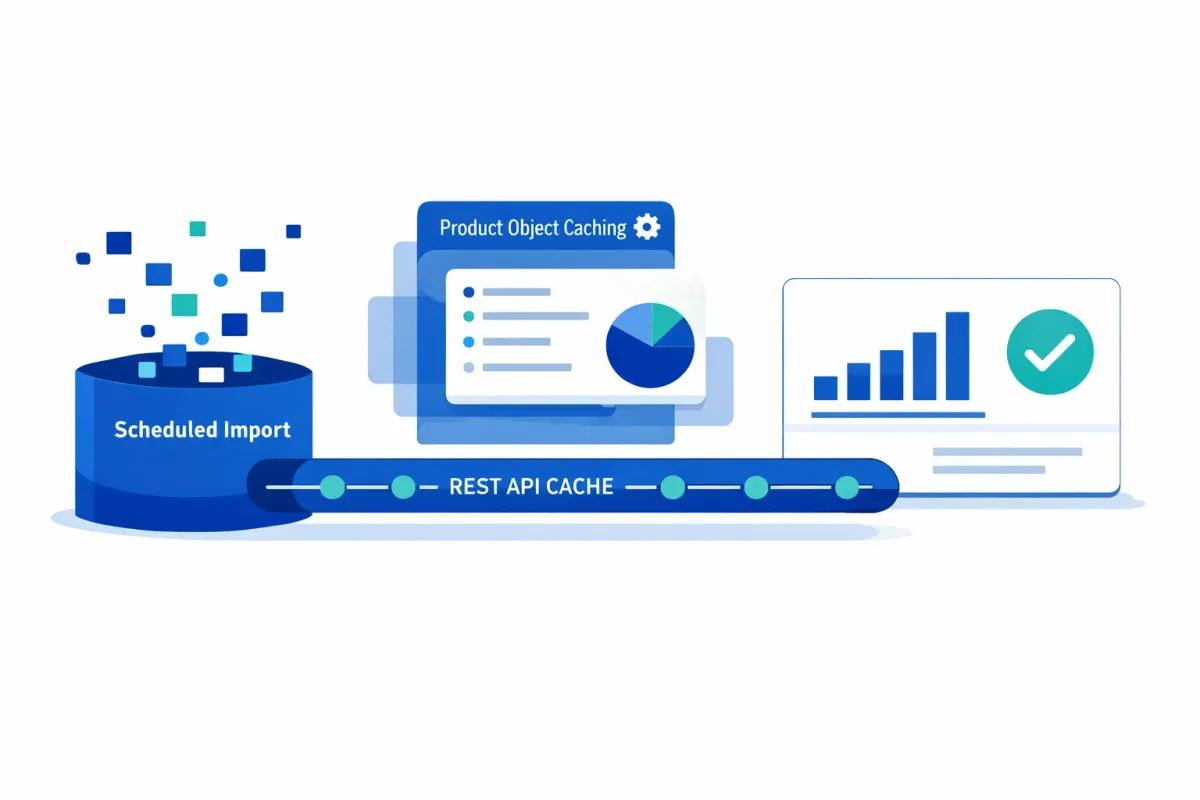
The headline change in WooCommerce 10.5 is Scheduled Imports, a new system that processes analytics data in batches of 100 orders every 12 hours instead of spawning a background job for every individual order event.
What this means for your store: The ActionScheduler backlog problem is architecturally solved. Rather than thousands of individual jobs competing for server resources, your analytics data is consolidated into scheduled batch runs that place far less strain on your database and hosting environment.
The trade-off to understand: Your analytics dashboard data may now be up to 12 hours old instead of near-real-time. For most stores, this is a worthwhile exchange — server stability and faster admin pages matter more than minute-by-minute order counts. If you need current numbers at any point, WooCommerce 10.5 adds a Data Status Indicator showing when data was last refreshed, along with a manual “Update Now” button for on-demand imports.
Critical for existing stores: Scheduled Imports is not enabled automatically on existing installations. You need to opt in manually:
- Navigate to WooCommerce > Analytics > Settings
- Under the Import section, change the update mode to Scheduled
- Save your settings
New WooCommerce installations get Scheduled Imports by default. If you run an existing store and skip this step, you remain on the legacy per-order processing system and miss the performance benefit entirely.
Experimental Performance Features: REST API Cache and Product Object Caching
WooCommerce 10.5 also introduces two experimental features aimed at reducing page load times and API response latency. Both are disabled by default and require manual opt-in via WooCommerce > Settings > Advanced > Features.
Experimental features (REST API cache, Product Object Caching) require opt-in and may change before stable release. These features are in active development. Their behavior, configuration, and availability may change in future WooCommerce versions.
REST API Response Caching stores product endpoint responses so that repeated API requests return cached results instead of querying the database each time. In WooCommerce’s testing with approximately 20,000 products, cached requests showed a 60-70% reduction in response times (from 2-2.5 seconds down to 0.6-0.8 seconds on cached requests). This feature requires a persistent object cache — Redis or Memcached — for backend caching to function. Stores using WooCommerce MCP integrations or headless setups that make frequent API calls stand to benefit the most.
Product Object Caching prevents WooCommerce from rebuilding the same product object multiple times during a single page request. Each product load involves a hydration process (creating objects, setting properties, loading metadata) that takes 0.5-0.9ms per product. Across a catalog page loading dozens of products, those milliseconds add up. In WooCommerce’s benchmarks, variable product operations improved by 9-13%, though real-world variance depends on active extensions and their product-loading patterns. Simple product operations showed a more modest 2-6% improvement.
Practical guidance: If you run a staging environment, these are worth testing there first. REST API caching is particularly relevant for stores with large product catalogs and API-heavy workflows. Product Object Caching is lower-risk since it operates within a single request and clears automatically, but results vary by store configuration.
Additional Performance Wins
Beyond the headline features, WooCommerce 10.5 includes several targeted improvements that benefit stores of all sizes:
- Recent Reviews widget: The admin dashboard widget now loads up to 98% faster, addressing a known bottleneck for stores with extensive review histories.
- Variation price caching: For stores with variable products, cached price lookups dropped from approximately 500ms to 40-50ms on cached requests in testing with 800 variations — roughly a 10x improvement.
- Product Filters fix: The Product Filters block now properly caches filter data, reducing database strain on large catalogs.
- Database optimizations: New indexes on user email lookups and autoload optimizations reduce query times across admin operations.
Upgrade Considerations: Known Issues and the 10.5.1 Patch
Transparency matters when evaluating an upgrade, and WooCommerce 10.5’s rollout was not entirely smooth.
The release itself was delayed by one day (from February 3 to February 4) after the team discovered a trait deprecation that could affect site stability.
After the 10.5.0 release, multiple store owners reported fatal errors related to a missing RestApiCache trait. The root cause was identified as upgrade mechanisms that merge new plugin files into existing directories rather than replacing them entirely — an issue particularly affecting hosts using Softaculous or manual FTP updates rather than WordPress’s built-in updater. Divi theme users also reported shop page rendering failures.
WooCommerce 10.5.1, released February 10, 2026, addresses the RestApiCache fatal error and includes fixes for Divi compatibility and the reviews widget. If you are considering the upgrade, 10.5.1 is the version to target.
Before upgrading any production store:
- Test on a staging environment first
- Ensure your host uses WordPress’s native update mechanism (not directory-merge approaches)
- Confirm your theme and critical plugins are compatible
- Verify that you have completed the HPOS migration as a performance prerequisite
What This Means for Store Owners
The WooCommerce 10.5 analytics performance improvements mark a deliberate architectural shift: trading real-time data granularity for server performance and reliability. For self-hosted stores where server resources are shared between the storefront and the admin, this is a pragmatic and welcome change.
Your action items:
- Update to 10.5.1 (not 10.5.0) after staging environment testing
- Enable Scheduled Imports via WooCommerce > Analytics > Settings — this is not automatic for existing stores
- Evaluate experimental features on staging only — REST API caching requires Redis or Memcached; Product Object Caching is lower-barrier but results vary
- Monitor your analytics freshness using the new Data Status Indicator after switching to Scheduled Imports
This release continues the performance trajectory that began with WooCommerce 10.4’s lazy loading changes. For stores that have struggled with ActionScheduler backlogs and slow admin pages, the Scheduled Imports system alone justifies the upgrade — once you verify compatibility in your environment.