
Your Custom Fields Could Be Generating Rich Results Already
Automate Schema.org JSON-LD in WordPress with ACF PRO 6.8 Beta 2. Step-by-step: enable, map fields, generate Recipe schema, validate. No extra plugins.
ACF PRO 6.8 Structured Data Automation: Auto-Generating Schema.org JSON-LD from Custom Fields
ACF PRO 6.8 Beta 2, released January 16, 2026, introduces WordPress structured data automation directly from ACF custom fields. One PHP filter enables it. A UI-driven workflow maps fields to Schema.org properties and outputs JSON-LD — no additional plugins, no manual code. If you currently rely on a separate schema plugin or hand-coded JSON-LD, this is worth evaluating.
Beta disclaimer: ACF PRO 6.8 is currently in Beta 2. The structured data automation feature is experimental — features and implementation may change before the stable release. Test on staging environments only.
How ACF 6.8 Schema Differs from Plugin Approaches
Before diving into configuration, here is how ACF 6.8’s native approach compares with alternatives you may already use.
| Capability | ACF 6.8 Native | Yoast SEO | Rank Math | Manual Code |
|---|---|---|---|---|
| Additional plugin needed | No | Yes | Yes | No |
| Schema types available | 800+ | Limited set | 37 (Pro) | Unlimited |
| Field-level mapping | Native UI | No | Via integration | Manual |
| Auto type inference | Yes (Recipe demonstrated) | Basic | No | No |
| Repeater/nested support | Native | No | Limited | Manual |
| Production-ready | Beta | Stable | Stable | Stable |
The key differentiator: schema mapping lives at the field definition, not in a separate plugin layer or template file. Each field carries its own Schema.org property assignment. When you update a field’s value, the JSON-LD output updates automatically.
What you can stop doing (once the feature reaches stable release): maintaining a standalone schema plugin for ACF-managed post types, or writing manual JSON-LD blocks in functions.php.
Enabling and Configuring ACF Schema Automation
The activation path follows four steps: enable the feature filter, configure the post type, map individual fields, and verify output.
Step 1: Enable the feature. Add this filter to your theme’s functions.php or a custom plugin:
add_filter( 'acf/settings/enable_schema', '__return_true' );Step 2: Configure the post type. In the ACF Post Type editor, open the new Schema tab. Toggle Enable Auto JSON-LD on and select a Schema Type (Article, Recipe, Product, Event, LocalBusiness, FAQPage) or choose Auto-detect.
Step 3: Map fields. Each field now has a Schema Property dropdown in its General tab, giving you access to the full Schema.org vocabulary (800+ types, 1,500+ properties per ACF’s documentation).
Step 4: Verify output. View the page source and look for the <script type="application/ld+json"> block. Paste it into the Google Rich Results Test to validate.
Auto-detection works by inferring the schema type from your field mappings. For example, mapping fields to prepTime and cookTime automatically selects Recipe as the schema type. Note that auto-detection is currently documented for Recipe — for other types, explicitly selecting the schema type is the safer option.
For block-level schema, you can configure it via block.json with "acf": { "autoJsonLd": true, "schemaType": "Recipe" }. See our ACF 6.7 inline editing blocks tutorial for more on ACF block development.
Recipe Schema Walkthrough: Field Mapping to JSON-LD
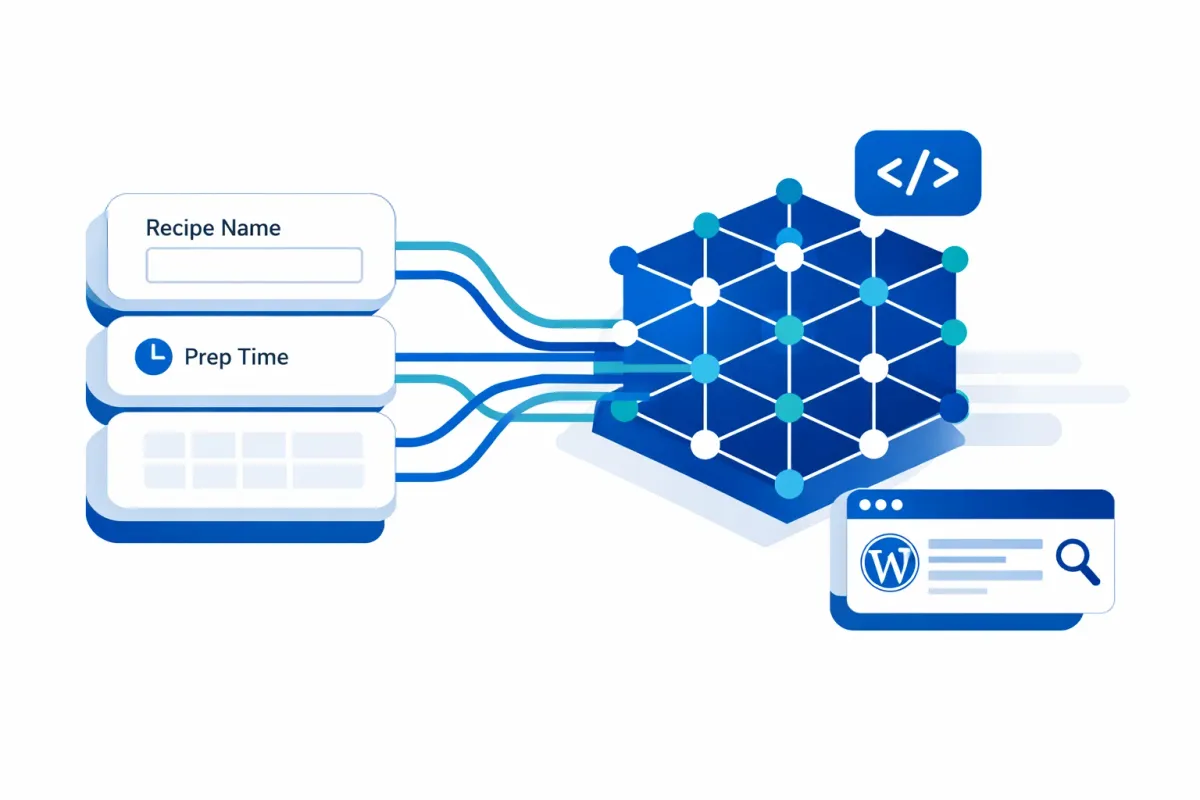
Let’s apply the workflow above to a concrete example. Here is how a Recipe post type’s ACF fields map to Schema.org properties:
| ACF Field | Schema Property | Notes |
|---|---|---|
| Recipe Name | name | Required by Google |
| Recipe Image | image | Required; auto-converts to ImageObject with dimensions |
| Description | description | Recommended |
| Prep Time | prepTime | Auto-converts to ISO 8601 duration |
| Cook Time | cookTime | Auto-converts to ISO 8601 duration |
| Servings | recipeYield | Recommended |
| Ingredients (Repeater) | recipeIngredient | Each sub-field maps to the same property; outputs as array |
| Instructions (Repeater) | recipeInstructions | Sub-fields: text, image |
The repeater-to-array mapping is especially useful here. Your Ingredients repeater field generates a clean JSON array for recipeIngredient — each row becomes an array item without any custom code.
ACF also auto-enriches the output with metadata you don’t need to map: author (as a Person object with name and URL), datePublished, dateModified, and the featured image as an ImageObject. Here is the abbreviated output:
{
  "@context": "https://schema.org",
  "@type": "Recipe",
  "name": "Sourdough Focaccia",
  "image": {
    "@type": "ImageObject",
    "url": "https://example.com/focaccia.jpg",
    "width": 1200,
    "height": 800
  },
  "description": "A crispy, olive oil-rich focaccia...",
  "prepTime": "PT30M",
  "cookTime": "PT25M",
  "recipeYield": "8 servings",
  "recipeIngredient": ["500g bread flour", "10g salt", "350ml water", "100g starter"],
  "author": { "@type": "Person", "name": "Jane Rivera" },
  "datePublished": "2026-02-10"
}
Any ACF fields you don’t explicitly map are included as additionalProperty objects, so no data is silently dropped. For Google’s full list of required and recommended Recipe properties, see the Recipe structured data documentation.
Validation and Common Pitfalls
After mapping your fields and publishing a test post, validate the output:
- View page source and find the
<script type="application/ld+json">block. - Paste the URL into the Google Rich Results Test and check for errors.
- Cross-reference with the Schema.org Markup Validator for syntax-level issues.
Common issues to watch for:
- Missing required properties. Google requires
nameandimagefor Recipe rich results. The Rich Results Test flags these clearly. - Duplicate schema output. If Yoast, Rank Math, or another plugin also generates schema for the same post type, you’ll get conflicting JSON-LD blocks. Disable plugin-based schema for any post type where ACF handles it.
- FAQ rich results restriction. If you plan to use FAQPage schema, note that Google has restricted FAQ rich results to authoritative government and health websites since 2023. The schema is still valid, but it won’t generate rich snippets for most sites.
Migration and What to Watch
If you are evaluating ACF 6.8 schema automation as a replacement for your current approach, keep these points in mind:
- Disable plugin schema selectively. Turn off schema generation in your SEO plugin for post types where ACF now manages structured data. Keep the SEO plugin active for everything else.
- No automated migration. Moving from manual JSON-LD or a schema plugin to ACF requires manual field-to-property mapping. Plan for the configuration time.
- Beta only. Do not deploy this in production. Test on staging until the stable release ships.
ACF 6.8 integrates with the WordPress 6.9 Abilities API (shipped December 2, 2025), positioning your structured data as a machine-discoverable resource for AI tools and native WordPress automation workflows. For related use cases, see our WooCommerce Analytics API guide and WordPress form-to-database workflows.